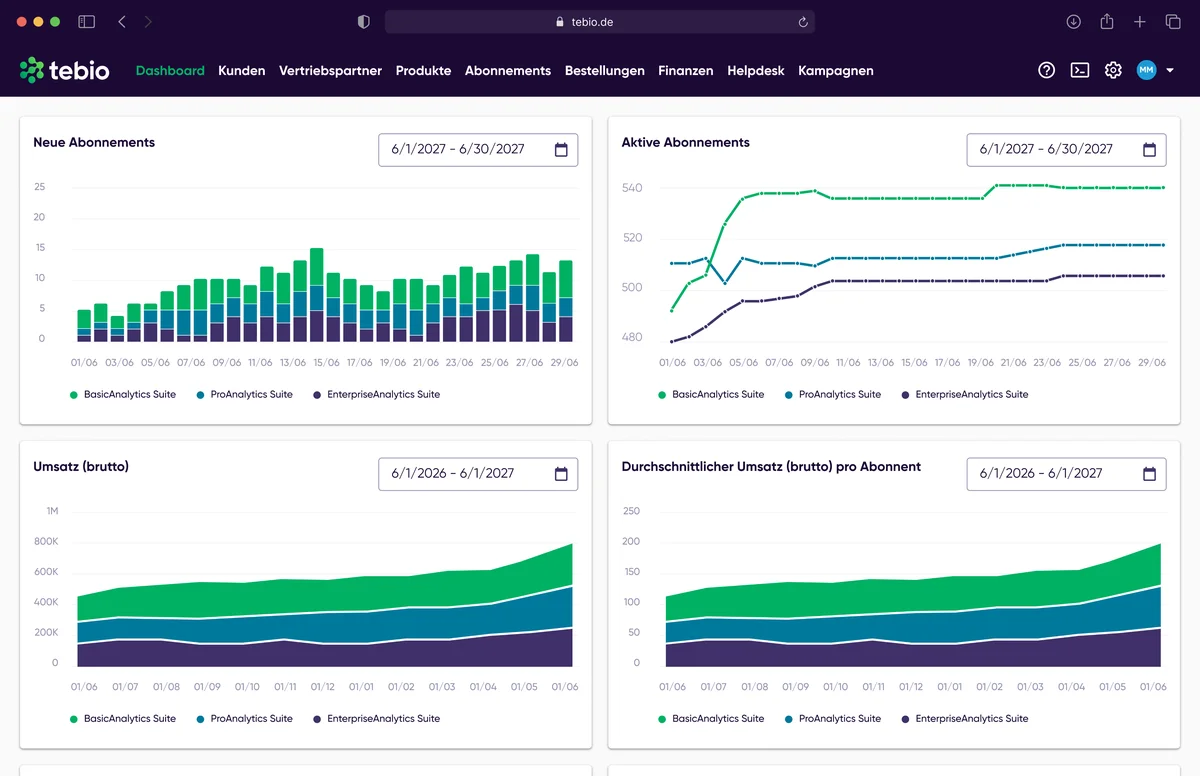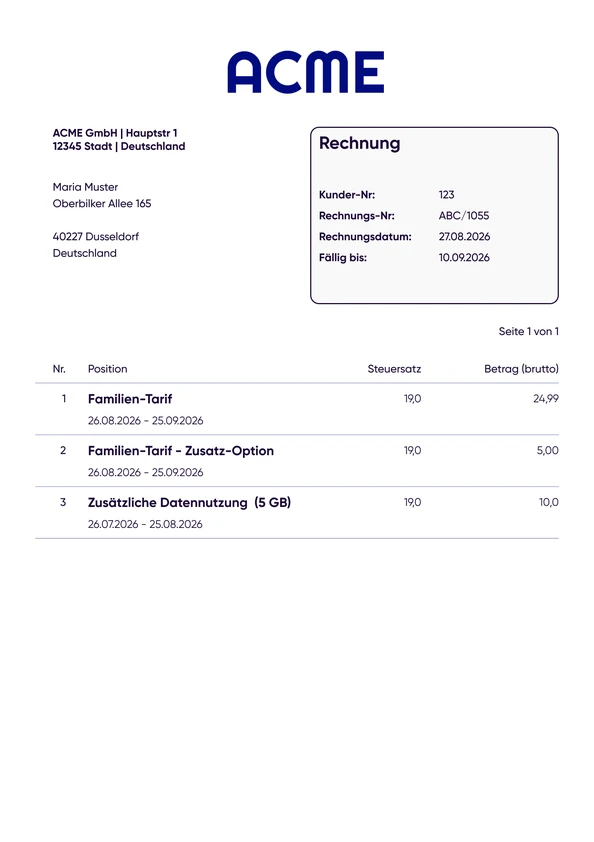












Monthly Subscription
Monthly base fee with regular billing.
For SaaS, cloud services and digital business models
Manage customers, plans, subscriptions, add-ons, billing models, invoices and payments in one platform. tebio connects subscription management and billing with your SaaS product — via Hosted Pages, Business Portal, API and Webhooks.
 Checkout / sales
 Customer
 Subscription
 Billing
 Plan · Option · Add-on · Usage
 Invoice / payment
 API & Webhooks
 SaaS product / provisioning / access





A simple monthly plan is easy to bill at first. But with different plans, add-ons, product changes, B2B customers, annual contracts, usage, invoices, payment status and finance processes, complexity grows quickly. If this logic is implemented directly in the SaaS product, you end up with a second product inside your product: your own subscription, billing and payment stack.
 Terms, changes, cancellations and billing rules are implemented directly in the SaaS backend and have to be maintained permanently.Product data, subscription status, invoice and payment often live in different systems.Credit card payment at checkout is not enough for many B2B business models.Plans, add-ons, one-time fees, usage and different billing cycles have to work together.Upgrades, downgrades or add-ons have to be integrated into the subscription lifecycle correctly from a commercial standpoint.Invoices, incoming payments, open items, reports and accounting processes have to stay traceable.Plan changes, cancellations, invoices and payment information increasingly need to be available digitally.Changes to a subscription have to be reliably reflected in the SaaS product.
tebio separates commercial subscription processes from the SaaS product itself. Customers, products, subscriptions, options, billing, invoices, payments and finance processes are managed in tebio. The SaaS backend stays connected via API and Webhooks.
This means not every pricing, billing or lifecycle rule has to be built directly into the product code. Product teams can focus on the SaaS application, while tebio structures the commercial processes around the recurring business model.
SaaS isn't always a monthly credit card subscription. tebio supports different commercial models and lets you map them within one shared subscription platform.
Monthly base fee with regular billing.
Annual contracts and billing cycles for B2B or B2C customers.
Base packages can be extended with additional options or services.
Services or access are paid for before use.
Services or usage are billed afterwards.
Usage-based components can be included in addition to base fees.
Recurring base fee plus add-ons, one-time fees or usage.
Contract-based SaaS offerings with invoice, payment terms and bank transfer.
tebio maps the commercial lifecycle of a SaaS subscription in a structured way and connects it with the product backend.
The customer is created via a hosted page, the Business Portal or the API.
A product with price, term, options and billing logic is selected.
The subscription links customer, product, payment method, term and billing configuration.
API and Webhooks can notify the SaaS backend about the new or changed subscription.
Options, product changes, pauses or cancellations can be handled in the subscription lifecycle.
Recurring, one-time or usage-based items are billed.
Invoice, payment status and downstream processes stay linked to the subscription.
Reports, journal, DATEV-ready processes and exports support downstream accounting workflows.
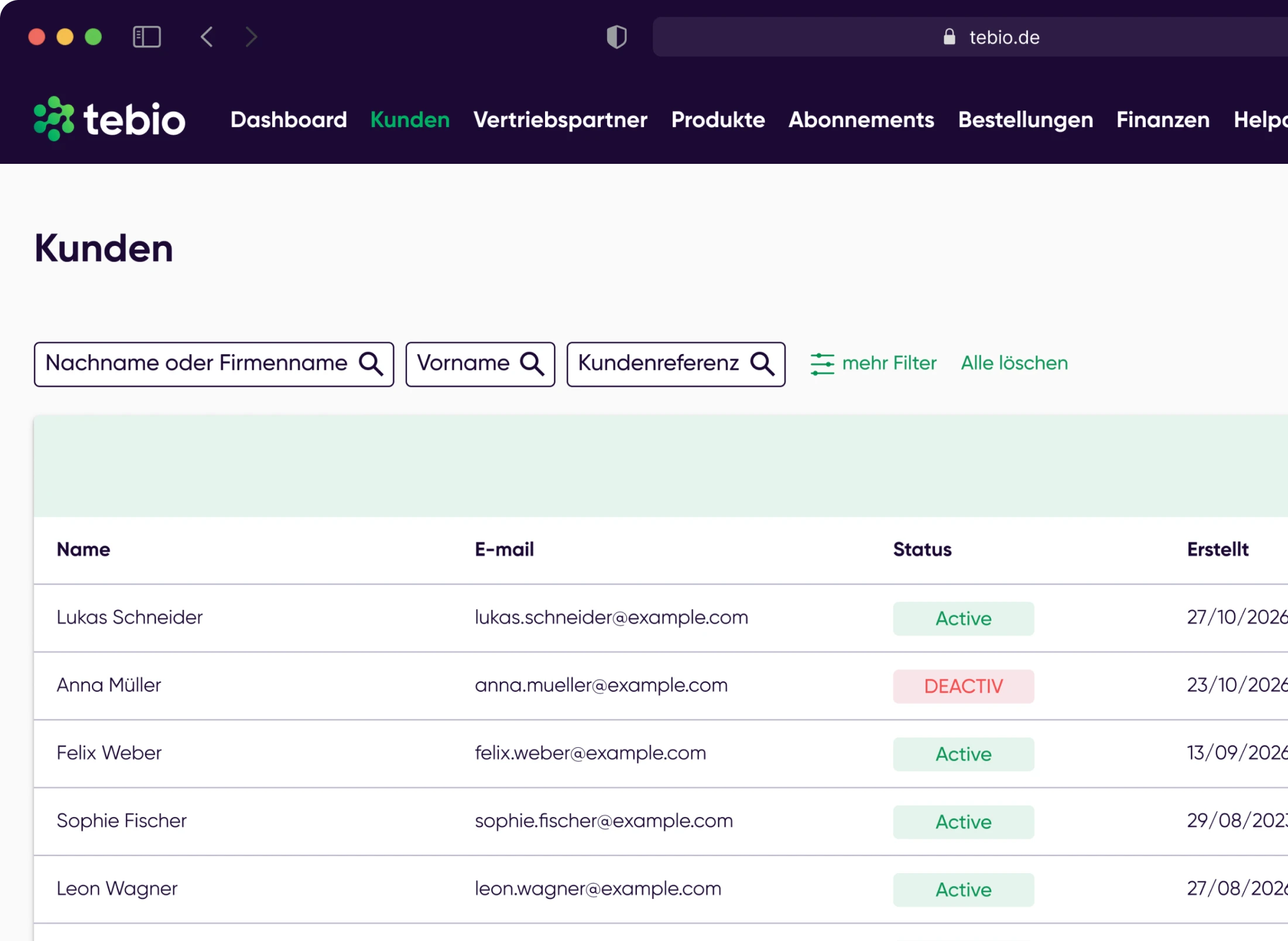
Manage B2B and B2C customers, contacts, addresses, properties and documents centrally.
Product, option and pricing logic can be integrated into external frontends, offer flows or internal processes.
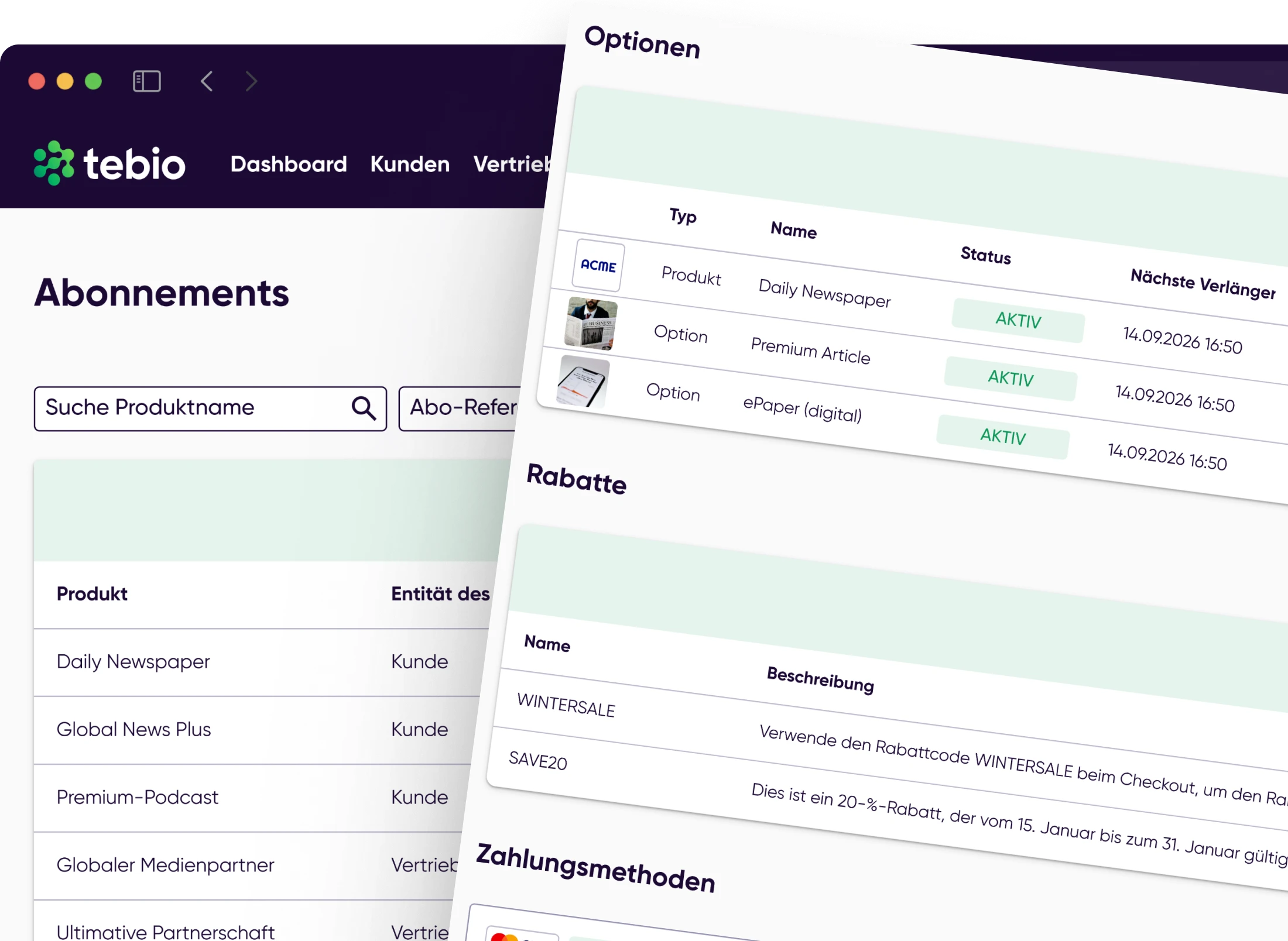
Manage status, terms, billing cycles, payment methods and lifecycle changes in the subscription context.
Model additional features or services as options.
Bill setup, onboarding or other one-time fees in addition to the subscription.
Bill recurring fees via defined billing processes.
Usage-based components can be included in billing, depending on the business model.
Support different charging models within the platform.
Turn billing processes into invoices, payment documents and downstream processes.
Support gateway-based and bank-based payment processes.
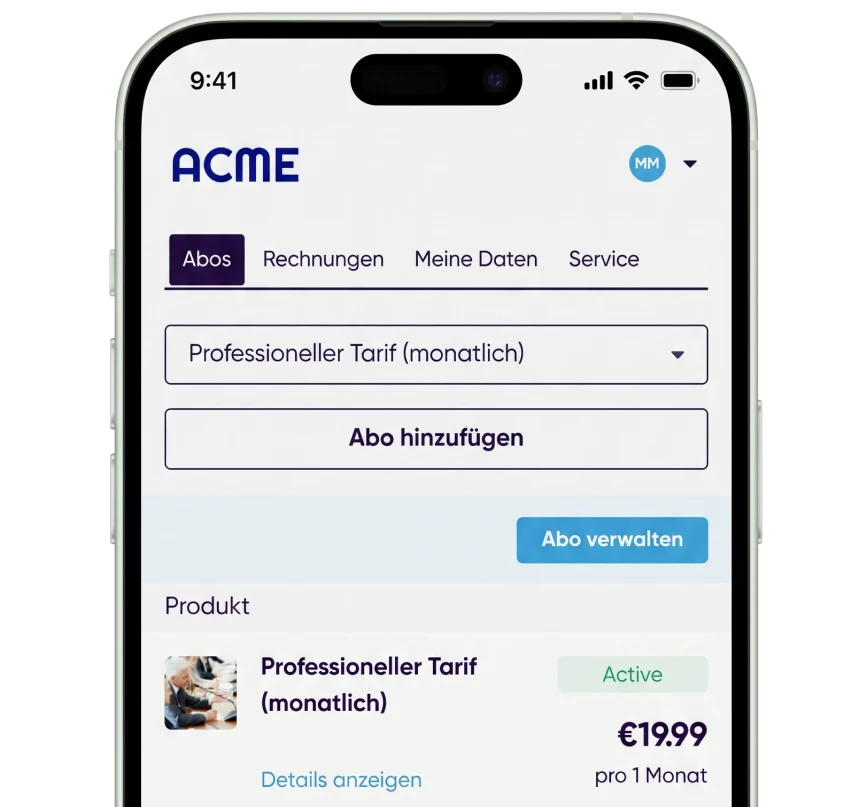
Offer digital customer processes for subscription, invoice and payment information.
Pass subscription events to product and provisioning systems via API and Webhooks.
SaaS offerings evolve constantly. Customers switch plans, book additional services or end individual options. tebio manages these commercial changes in the context of the subscription.

Switch to a higher-tier plan.

Switch to a different plan according to the configured change rules.

Add a feature or service to an existing subscription.

Replace an existing option with a different one.

End an additional service independently of the main subscription, if the product model allows it.

Temporary pauses can be used for suitable business models.

Manage cancellations with the appropriate term and contract rules.
SaaS pricing can consist of several components. tebio combines recurring fees, one-time items and usage-based components within one shared billing process.
Regular base fee for the subscription.
One-time fees for setup, onboarding or additional services.
Recurring or supplementary fees for options.
Usage-based fees for suitable business models.
Billing before use or service delivery.
Billing after the service or usage period.
Many B2B SaaS providers sell through quotes, contracts and individual sales processes. Customers expect invoices, payment terms, bank transfer, SEPA, e-invoices and a clean connection to finance and accounting.
tebio combines these established B2B processes with modern subscription automation.
 B2B contractSubscriptionBillingInvoice / e-invoice
 Payment terms
 SEPA / bank transfer
 Payment status / open item
 DATEV / Finance

Business customers can be billed by invoice.

Due dates and payment terms are taken into account in the invoicing process.

Recurring payments can be processed via the house bank procedure.

Classic B2B payments by bank transfer remain possible.

For suitable B2B scenarios, structured e-invoicing processes can be supported.

Billing and financial data can be provided for downstream DATEV processes.
tebio supports different payment methods depending on the business model. This lets you map self-service SaaS offerings and sales-led B2B contracts within the same platform.
 Credit cardPayPalApple PayGoogle PayKlarnaAmazon PaySEPA direct debitBank transfer

Depending on the configuration, Stripe, PayPal or Computop, for example, can be used.
SEPA direct debit can be used via the SaaS provider's own bank.
B2B customers can pay invoices by bank transfer.

Customers can choose SaaS offerings, enter their data and complete the ordering process digitally.

Depending on the configuration, customers can view and manage their own data, subscriptions, invoices or payment information.

Alternatively, existing SaaS interfaces can be integrated directly with tebio via API and Webhooks.
Hosted Pages can help SaaS providers launch digital customer processes quickly. They complement your own frontends and can be connected directly to customer, subscription, billing and payment processes in tebio.
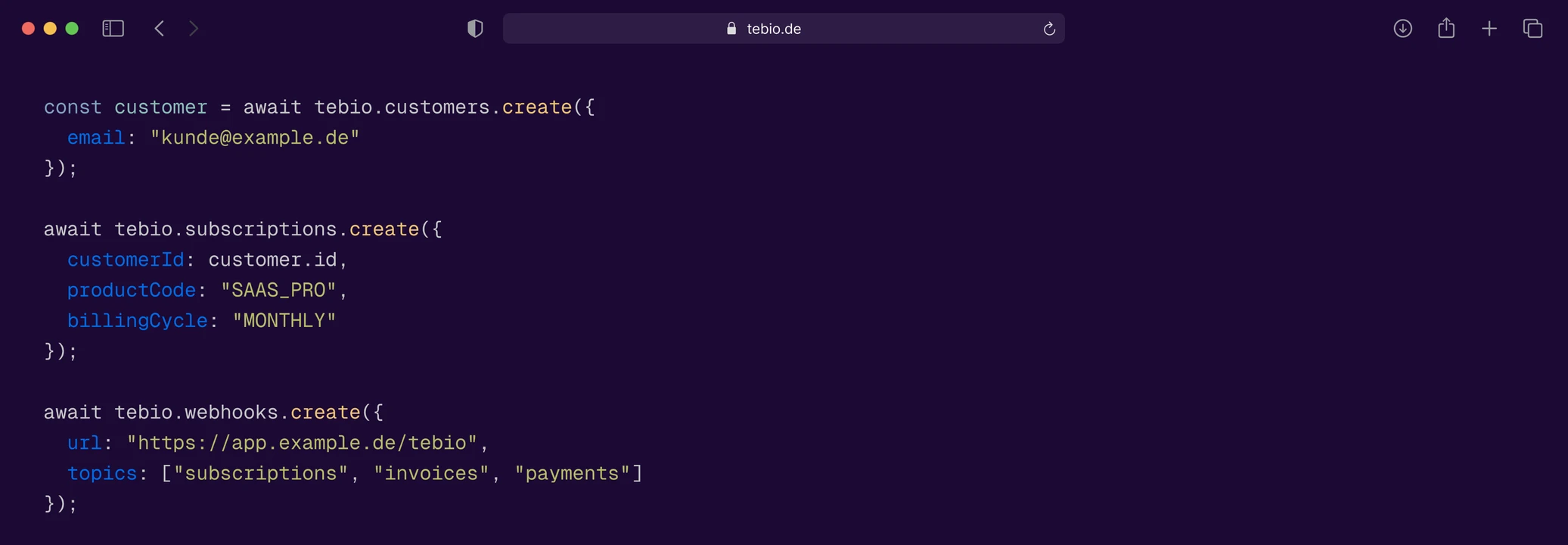
A commercial subscription alone doesn't grant product access. The SaaS backend needs to know which customer has which plan, which options and which status. API and Webhooks form the connection between tebio and the SaaS product.
 SaaS backendUser managementTenant managementProvisioningCRMERPData warehouseBIFinance systemSupport system




const customer = await tebio.customers.create({
  email: "kunde@example.de"
});

await tebio.subscriptions.create({
  customerId: customer.id,
  productCode: "EPAPER",
  billingCycle: "MONTHLY"
});

await tebio.webhooks.create({
  url: "https://app.example.de/tebio",
  topics: ["subscriptions", "invoices", "payments"]
});
Recurring SaaS revenue creates downstream accounting processes. tebio connects billing, invoices, payment status, reports, journal and DATEV-ready processes so finance teams can track and process subscription revenue.
 Invoice overviews
 Payment status
 Open items
 Recurring revenue
 Financial reports
 Journal
 DATEV export
 Export and reconciliation processes
 Data for downstream finance systems
A customer chooses a plan online, pays digitally and then automatically gets access to the SaaS product.
A business customer gets an annual subscription with invoice, payment terms and payment by bank transfer.
Customers can book additional features or services as options on their existing subscription.
A recurring base fee is combined with usage-based billing components.
Sales closes an individual B2B contract. The subscription is created in the Business Portal or via the API and then billed automatically.
The existing SaaS product stays as it is and receives subscription changes via API and Webhooks.
The tebio documentation shows how to set up and use products, customers, subscriptions, billing, payments, Hosted Pages and integrations.
 View documentation
 Define pricesConfigure prices and billing models for products.Create a subscription optionDefine add-ons and additional services for SaaS plans.Create a subscriptionCreate a subscription for an existing customer.Change productPerform plan changes within an existing subscription.Book or switch an optionAdd or change add-ons on a subscription.Configure payment methodsSet up gateway-based and bank-based payment methods.Set up Hosted PagesConfigure checkout and Self-Care processes.API keysSet up technical access to the tebio API.WebhooksLet external systems react to tebio events.API referenceImplement technical integration with tebio.
tebio is suited for SaaS providers with recurring, one-time or usage-based revenue models. These include, for example, monthly or annual subscriptions, add-ons, prepaid and postpaid models, and combinations of base fee and usage.
Yes. SaaS plans can be modeled as products with prices. Additional features or services can be added as options and managed in the context of the subscription.
Product changes can be mapped in tebio via defined change rules. This lets you control upgrades or downgrades, for example, within the subscription lifecycle.
Yes. Depending on the business model, usage-based components can be included in billing and combined with recurring or one-time fees.
Yes. tebio can support business models billed both in advance and in arrears. Which variant is used depends on the respective product and billing model.
Yes. Via API and Webhooks, tebio can be connected to existing SaaS backends, provisioning systems, CRM, ERP, finance or data systems.
tebio manages the commercial subscription status and can pass changes to the SaaS backend via API and Webhooks. How user accounts, tenants, features or product access are technically provisioned remains the responsibility of the respective SaaS product or connected system.
Not necessarily. SaaS providers can use tebio Hosted Pages for digital ordering processes or connect their own frontend via API and Webhooks.
Yes. Depending on the configuration, Self-Care can provide and manage customer data, subscriptions, invoices or payment information digitally, for example.
Yes. tebio supports typical B2B processes such as recurring contract billing, pay by invoice, payment terms, SEPA via your own bank, bank transfer, e-invoices for suitable scenarios and DATEV-ready processes.
No. In addition to gateway-based online payments, typical B2B payment methods such as SEPA direct debit via your own bank or payment by bank transfer can also be used.
Yes. Billing processes can automatically generate invoices or suitable payment documents and link them to customers, subscriptions and payment processes.
No. tebio connects billing and payments but is not a payment service provider itself. Online payments can be processed via connected payment gateways.
tebio forms the commercial subscription management and billing layer. The SaaS product itself, its user interface, features and technical product logic remain in the SaaS system.
tebio can provide billing and financial data for DATEV export and downstream DATEV-ready processes.

Start with tebio for free or talk to us about how you can connect plans, subscriptions, add-ons, billing, payments, Self-Care and your existing SaaS backend in a flexible architecture.